Supportbuild the advantage.
Make the position work. Keep the fight supplied. Bring indirect fire into the plan.
L81 mortar calculator
Turn your in-game coordinates into range, bearing and a community-table elevation estimate.
A starting kit for your role.
A balanced starting kit for the role.
Standard loadout
Weapon slots
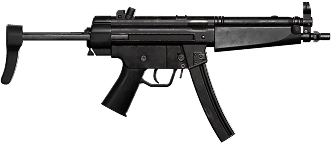
MP5
$1,800 · 2.54 kg
Medic · Level 4Unlock once: $25,000Semi / Full Auto · 9x19mm
Attachments
Weight class: Heavy
27 – < 40 kg
Estimated from known weights. Missing item or ammunition weights may change this class.
Sprint restrictions: community tooltip report; not independently verified.
Weight penalties
- Maximum movement speed-20%
- Lean time+50%
- Return from lean time+50%
- Jump velocity-15%
- Aim sway amplitude+17.5%
- Aim sway speed+20%
- Aim-down-sights time+15%
- Weapon sway stabilization factor+50%
Current class only. Armor and skills may have separate effects. Sources ↗
Editorial templates, not official or verified meta builds. Check item unlocks. Vehicle and aircraft purchases are separate.
Before you deploy.
Start with a useful position
Build around the squad’s immediate objective. Leave access for friendlies and plan how the position will be resupplied.
Check the firing geometry
Confirm firing and target coordinates. Community firing tables assume level terrain; slopes and platform tilt can change the result.
Observe and adjust
Treat the first firing solution as an estimate. Use observed in-game impacts and squad feedback to assess corrections.
Take it into the field.
Read the playbook above, then follow a creator walkthrough.
Check the recording's version before copying a build.
How to Use Mortars in WARDOGS
Community tutorial. The linked video and calculator may use different revisions of measured data.